 Coreboard
Performance modes
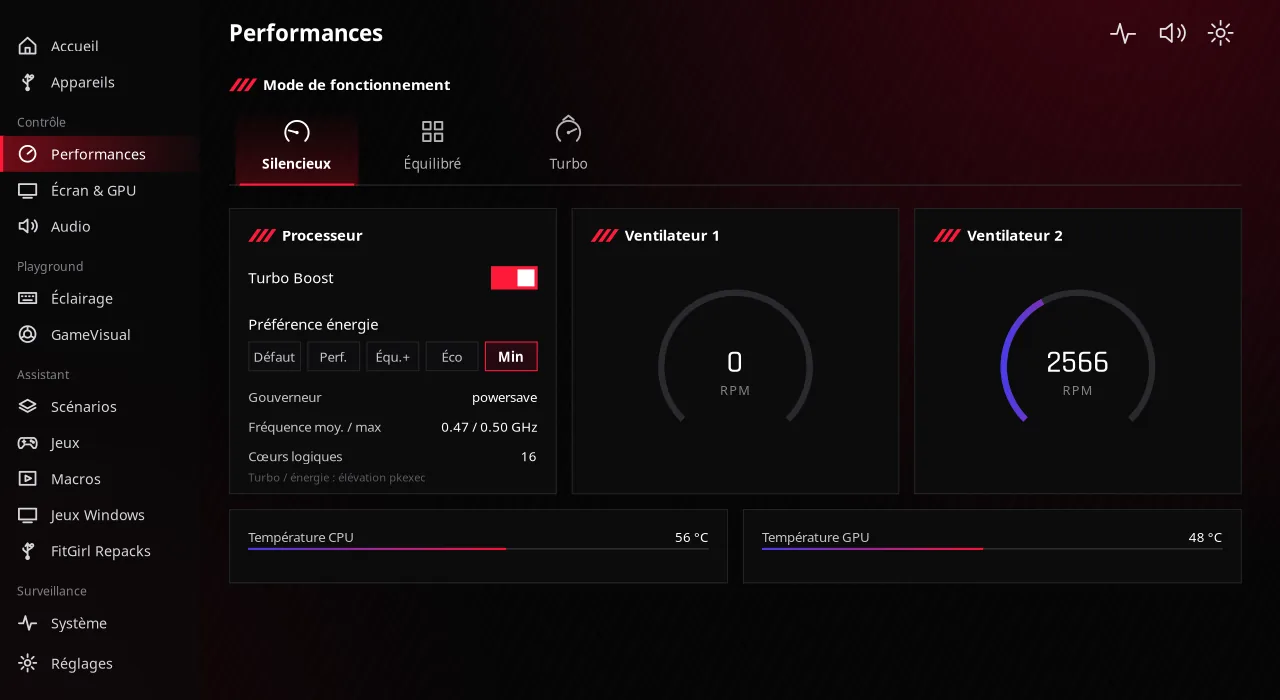
Silent, Balanced, Turbo: one click switches the system power profile.

Performance, CPU, GPU, display, RGB lighting, scenarios and games: your whole PC in one fast app, written in C and GTK4.
On Windows, manufacturers ship one panel to tune everything. On Linux, you had to juggle a dozen command-line tools. Coreboard brings them together in a polished dark interface.
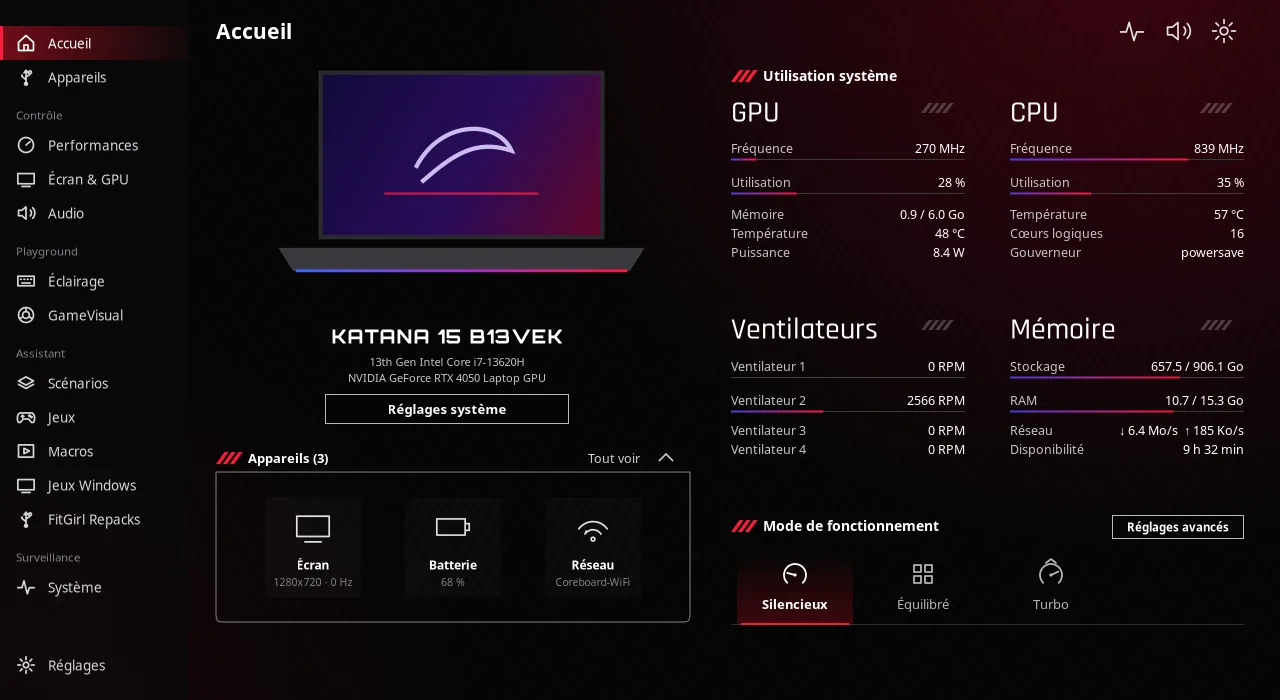
Every setting goes through standard Linux interfaces: power-profiles-daemon, sysfs, D-Bus, polkit.
Silent, Balanced, Turbo: one click switches the system power profile.
Turbo Boost, energy preference, governor, temperatures, frequencies and hybrid GPU mode.
Refresh rate, brightness and night light, on Hyprland, Sway, KDE, GNOME or X11.
Per-zone effects, custom colors and a Music mode that makes the keyboard react to sound.
When a game gets focus, Coreboard applies the mode and refresh rate you chose, then restores your settings.
Record key sequences, replay them with repeats and bind them to a global shortcut.
Steam, Epic (Legendary), GOG, Lutris and game apps, gathered and launched in one click.
Proton-GE and umu-launcher, DLSS, ray tracing, GameMode, MangoHud and a check-up that tunes your system.
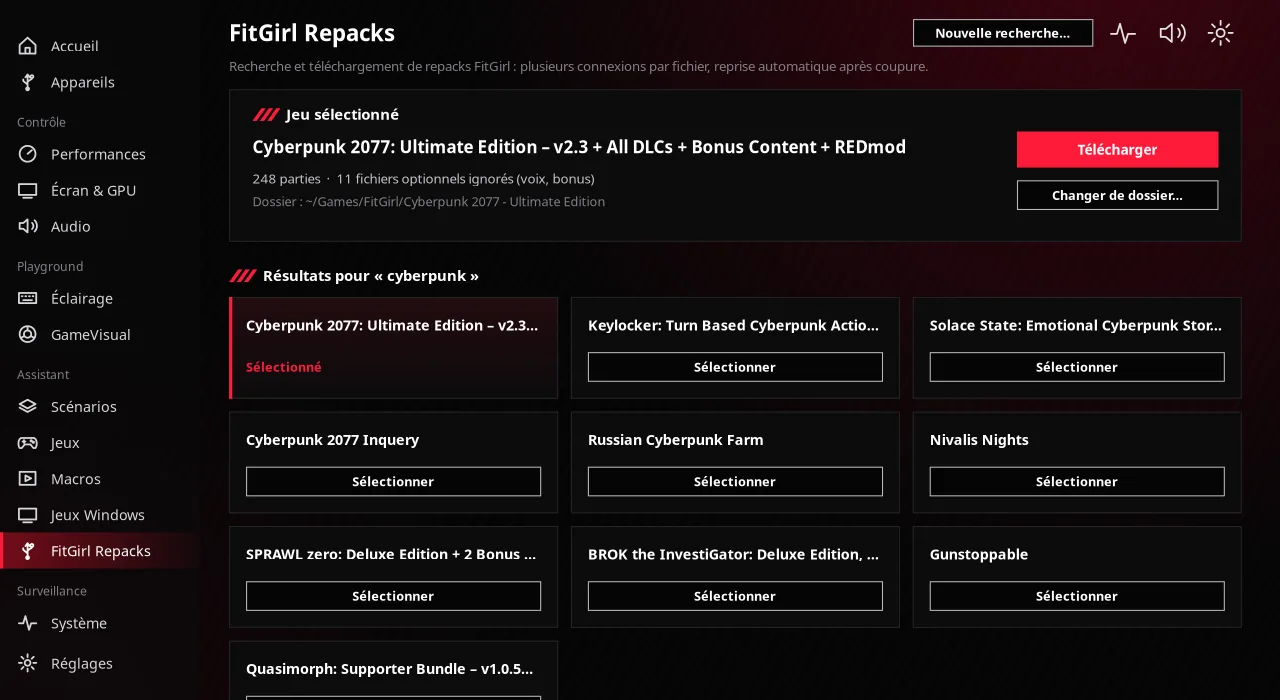
Search, resumable multi-connection download, extraction and installation in Wine. Learn more
Sidebar, red headers, live metric cards: the feel of gaming control centers, without the bloat.
Search for a FitGirl repack, download it and install it in Wine in a few clicks. No download manager, no terminal juggling.
Respect copyright law in your country: only download games you have the right to use. Coreboard is not affiliated with FitGirl Repacks and hosts no files.
Coreboard picks the right tool for your system on its own, and installs what's missing with your distribution's package manager.
| Feature | Hyprland | Sway | KDE Plasma | GNOME | X11 |
|---|---|---|---|---|---|
| Hardware, profiles, CPU, GPU, audio | Yes | Yes | Yes | Yes | Yes |
| Refresh rate | Yes | Yes | Yes | Yes | Yes |
| Night light | Yes | Yes | Native | Native | Yes |
| Per-app scenarios | Yes | Yes | XWayland games | XWayland games | Yes |
| Macros (playback) | wtype | wtype | ydotool | ydotool | xdotool |
| GameVisual (screen filter) | Yes | — | — | — | — |
Intel, AMD and ARM CPUs · NVIDIA, AMD and Intel GPUs · GTK 4.10 or newer required.
Pick your distribution and paste the commands into a terminal.
# native package: cooling daemon and udev rule included
$ git clone https://github.com/2Deathadder/coreboard.git
$ cd coreboard/packaging/arch && makepkg -si$ sudo apt install -y git
$ git clone https://github.com/2Deathadder/coreboard.git && cd coreboard
$ make deps && make && make install$ sudo dnf install -y git
$ git clone https://github.com/2Deathadder/coreboard.git && cd coreboard
$ make deps && make && make install$ sudo zypper install -y git
$ git clone https://github.com/2Deathadder/coreboard.git && cd coreboard
$ make deps && make && make installThen launch coreboard from your app menu. A keyboard shortcut on coreboard --toggle opens and closes the window.
Yes. Coreboard brings together in one native app what Armoury Crate or MSI Center offer on Windows: performance modes, CPU and GPU tuning, display, RGB lighting, per-app scenarios and game management. It is affiliated with neither ASUS nor MSI.
Arch Linux and its derivatives (Omarchy, CachyOS, EndeavourOS, Manjaro), Debian 13 and Ubuntu 24.04 or newer, Fedora 38 or newer and openSUSE Tumbleweed. GTK 4.10 or newer is required.
Hyprland, Sway, KDE Plasma, GNOME and X11 desktops. Features adapt: refresh rate through the desktop, native night light on GNOME and KDE, detection of XWayland games.
No. Coreboard detects what your PC actually exposes (Intel, AMD or ARM CPU, NVIDIA, AMD or Intel GPU, display, battery) and hides what isn't there. Only keyboard lighting and adaptive cooling are specific to some MSI laptops.
Yes, Coreboard is free and open-source software under the GPL-3.0 license. The source code is on GitHub.